
Planning a driven hunt
Under Driven hunt you plan driven and movement hunts: details, stands with shooting sectors, drives, stand groups and participants. From this Waidblick creates the stand map PDF, the guest invitations and, on the hunt day, the reports and the game parade.
Who may do what: all members see the driven hunts and can take part. Leaseholders and co-leaseholders create and delete hunts. The plan is edited by leaseholders, co-leaseholders and the hunt leader of that hunt.
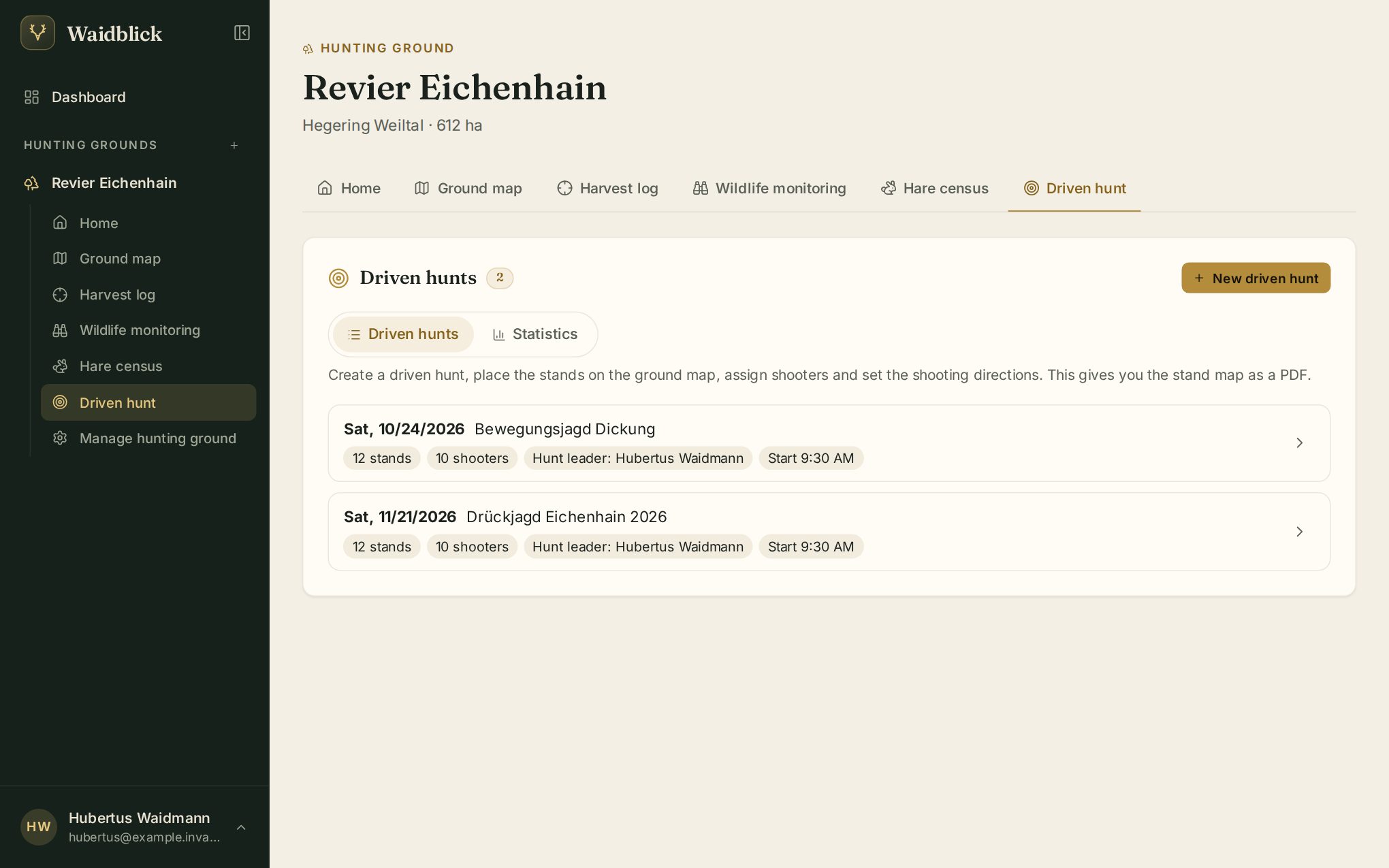
New driven hunt
New driven hunt opens the details:
- Name and date (required).
- Meeting, Start, End of shooting and Game parade – hour and minute.
- Hunt leader – a member of the ground.
- Assembly point (description) – you place the point on the map later in the stand map.
- Released game – which game may be shot. Below, Waidblick shows what is in season on that day; Add to released game takes it over as a suggestion.
- Notes for everyone – e.g. high-visibility clothing, safe backstop, behaviour after the end signal.
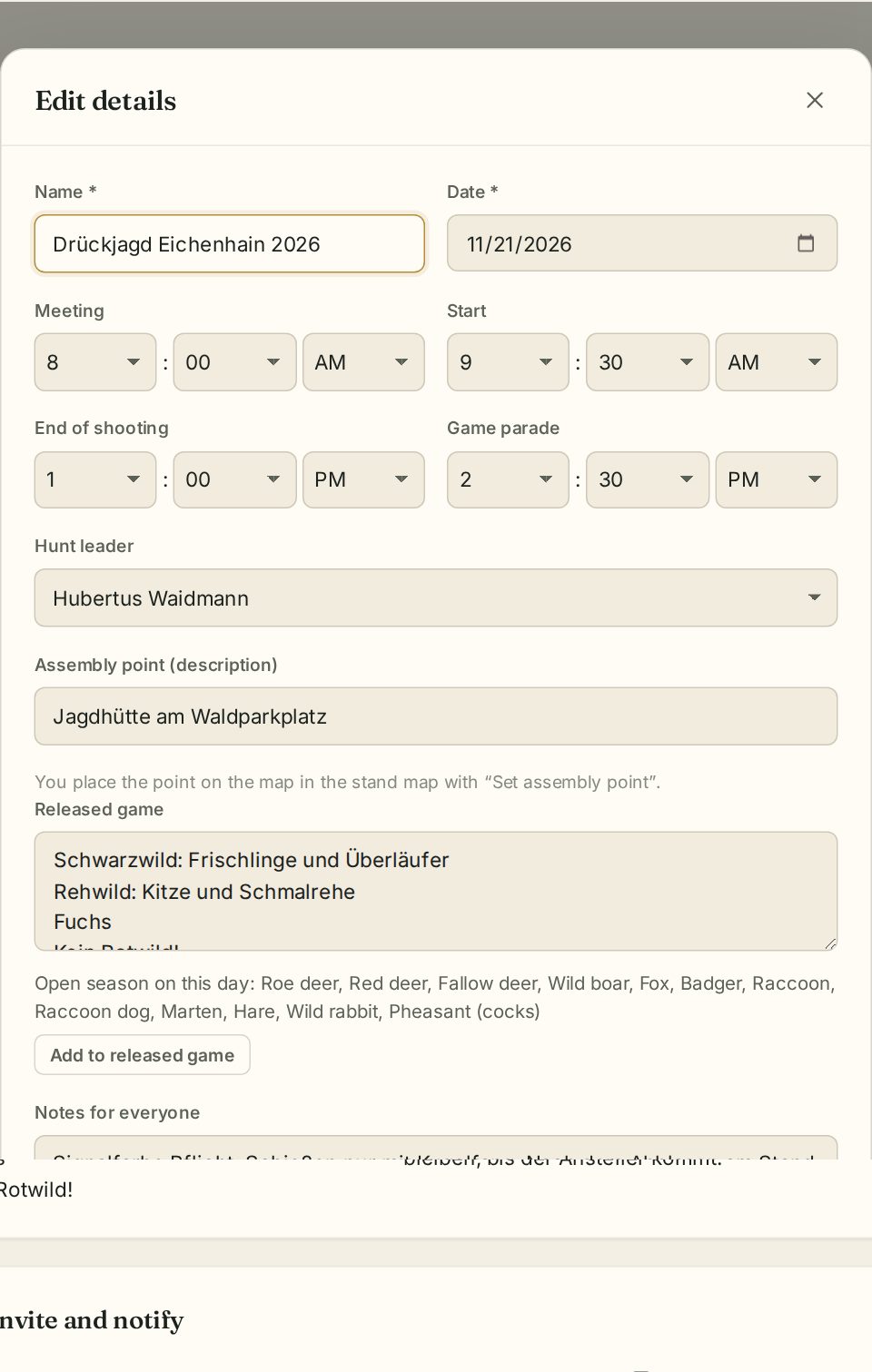
Change the details later with Edit details.
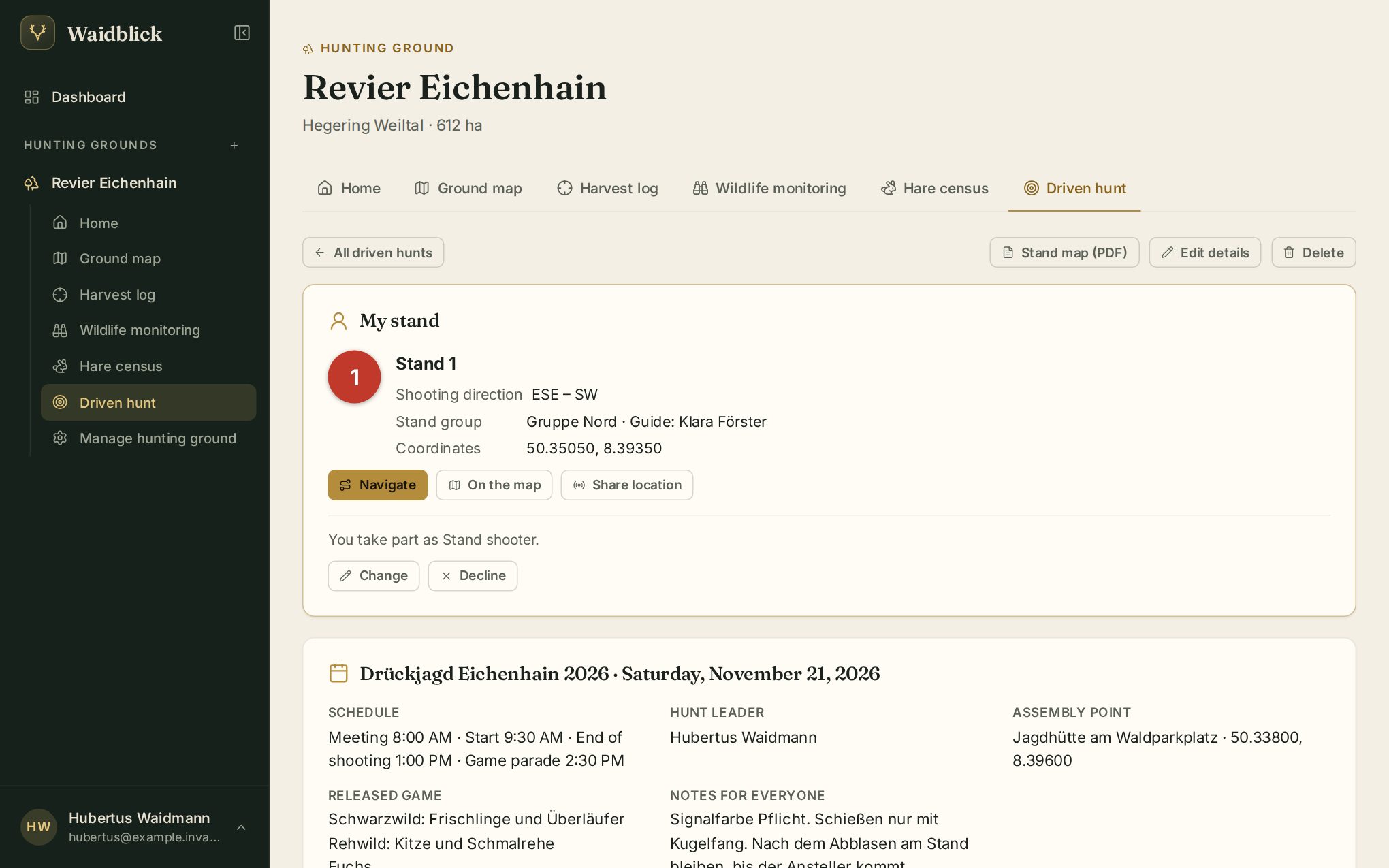
The plan at a glance
Clicking a driven hunt opens its plan. At the top you find All driven hunts, Available offline, Stand map (PDF), Edit details and Delete. Below come your own stand (see On the hunt day), the details, invitations, stand map, stands, participants and reports.
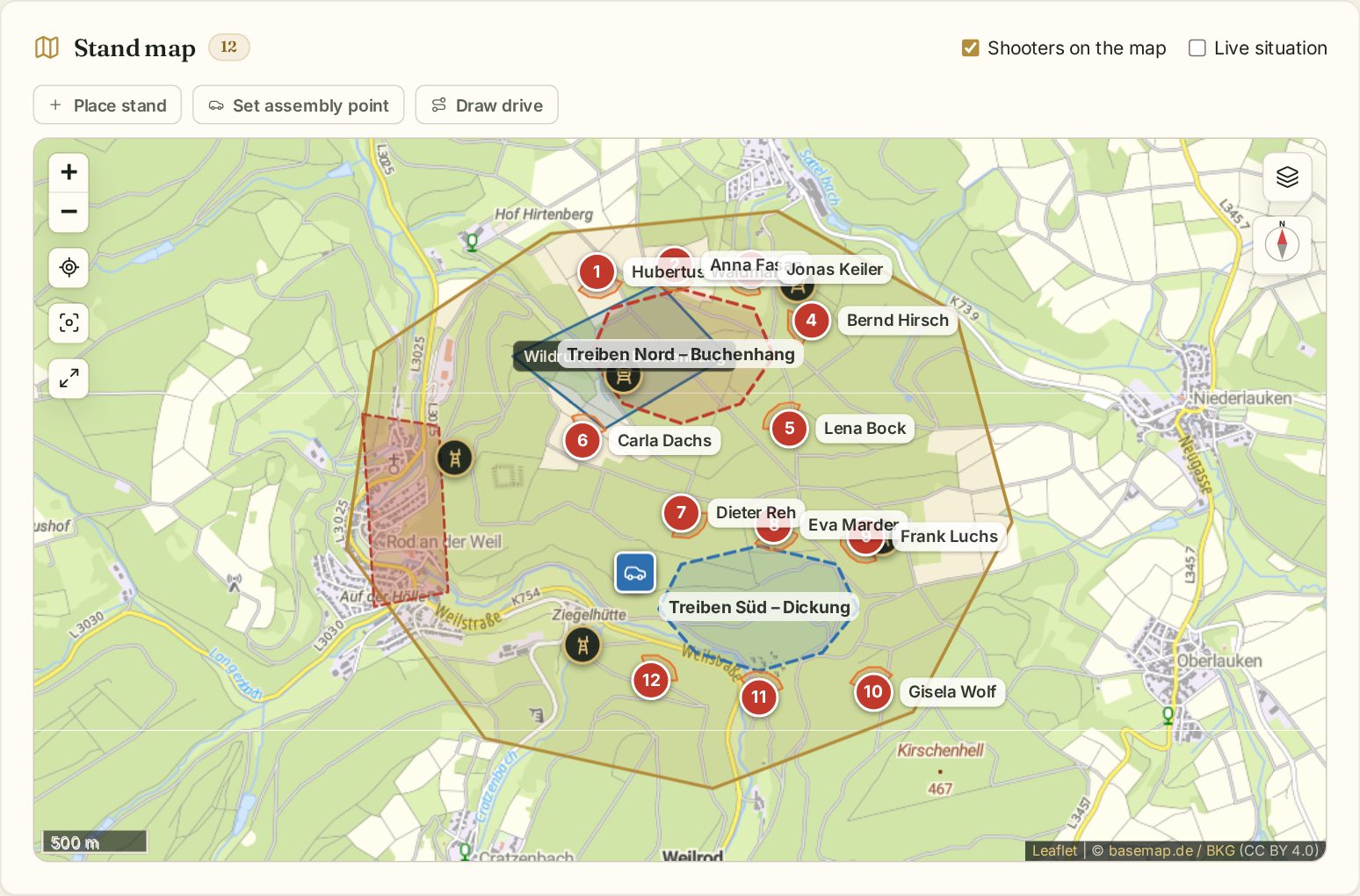
Stand map
The stand map shows the ground, stands with shooting sectors, drives and the assembly point. Shooters on the map shows or hides the names. The tools:
- Place stand – tap the map to add a stand. Stands can be dragged.
- Set assembly point – mark the meeting place.
- Draw drive – draw the area of a drive as a polygon. Several drives can run at the same time.
- Take over driven hunt stands – all ground facilities of type “driven hunt stand” become stands.
The symbol at the bottom left opens the map in full screen.
Stands
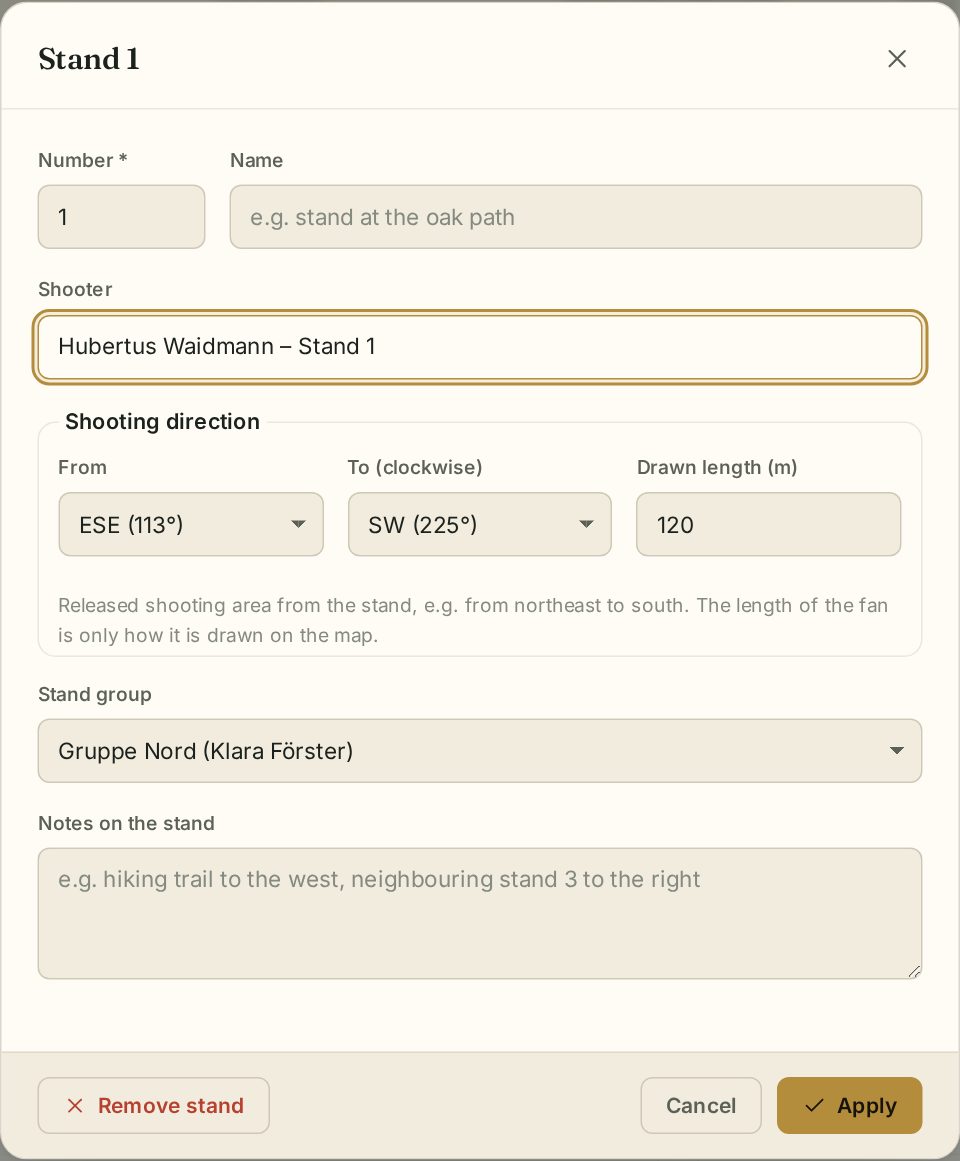
Click a stand (on the map or in the list) to open it:
- Number and name.
- Shooter – a member or a guest with their name.
- Shooting sector – From and To clockwise (e.g. from north-east to south) and the display length (m) of the sector on the map.
- Stand group and notes on the stand (e.g. “Footpath to the west”).
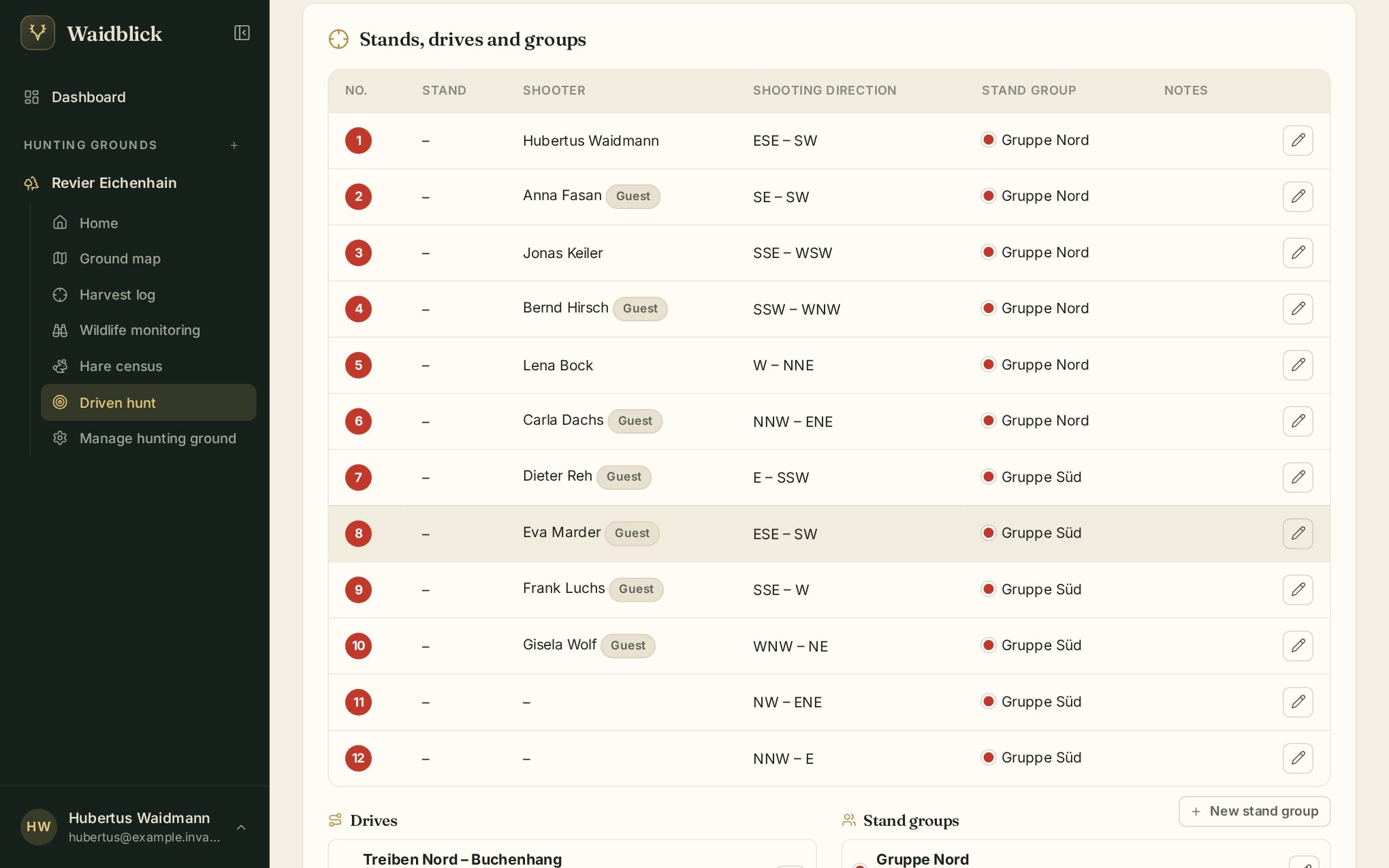
Below the map all stands are listed with shooter, sector and group, followed by the drives and the stand groups.
Drives
A drive has a name, colour, beater group / leader and notes. Change shape adjusts the area, Remove deletes it.
Stand groups
A stand group combines the stands that one guide (Ansteller) takes care of – the guide brings the shooters to their stands. New stand group creates a group with name, colour, guide (member or guest), notes (e.g. departure time) and the stands of this group. Dissolve group removes the group; the stands remain.
Participants
Participants lists everyone with their role: stand shooter, walking shooter, beater and dog handler. The top sums up the roles.
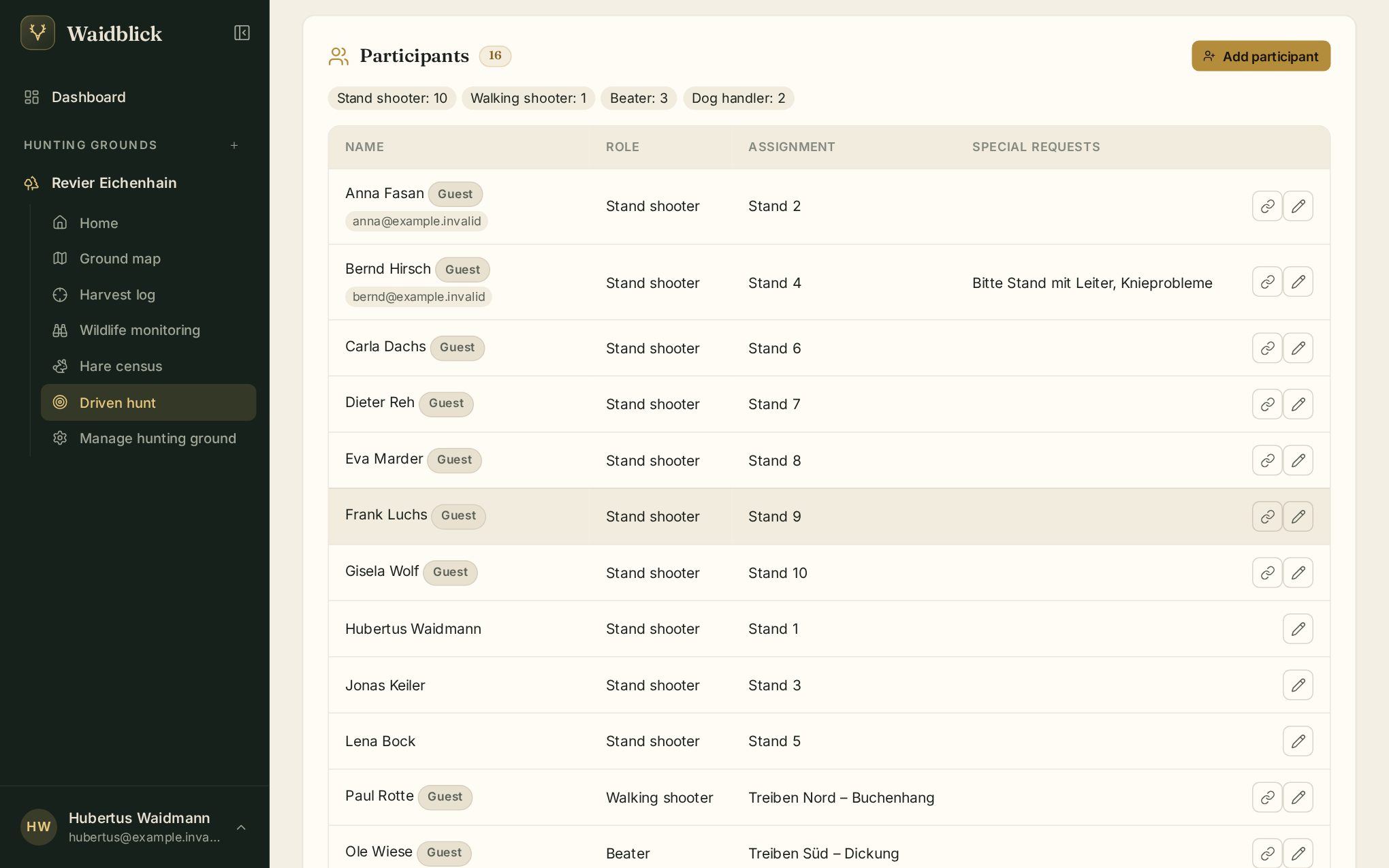
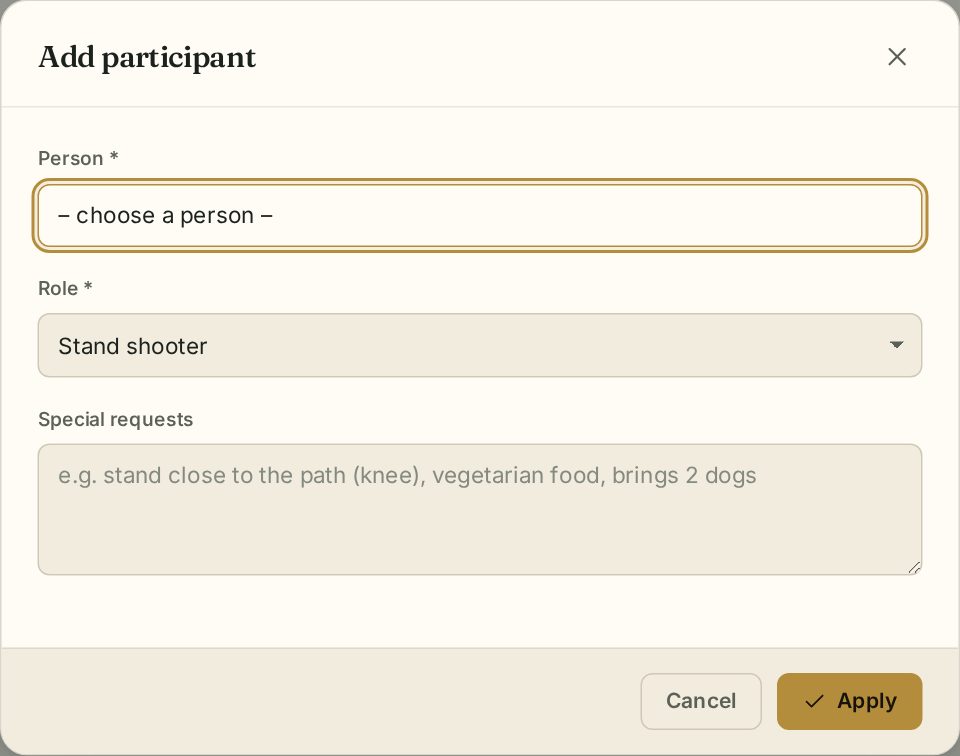
Add participant opens the dialog: person (member or guest with name, email and phone), role, for beaters and dog handlers the drive, and special requests (e.g. “stand close to the track”, “brings 2 dogs”).
For every person the list shows attendance and the hunting license status of shooters: missing, expired, valid until …, or “no shooting certificate”. The link symbol copies a guest's personal link.
Inviting and notifying guests
In the Invite and notify section:
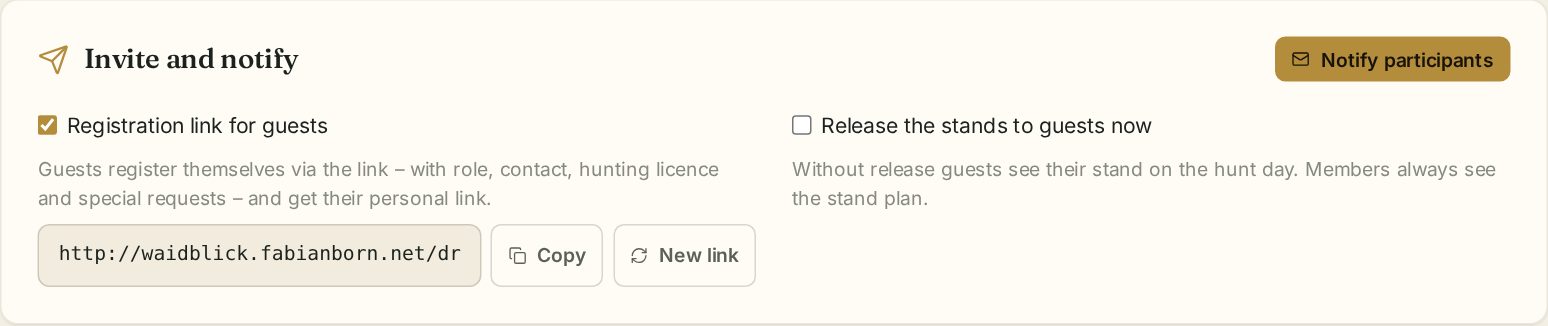
- Registration link for guests – switch it on, copy the link and send it, e.g. by messenger. Guests register themselves with role, contact details, hunting license and special requests and then receive their personal link (see Driven hunt for guests). New link invalidates the old one.
- Release the stands to guests now – without the release guests only see their stand on the hunt day. Members always see the stand plan.
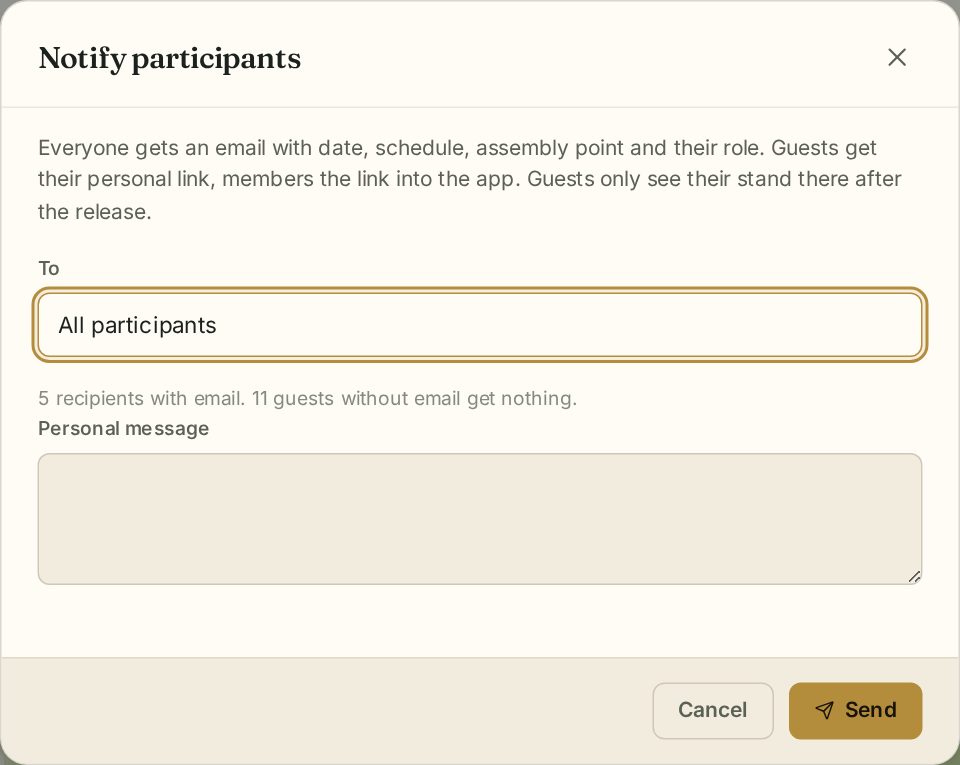
- Notify participants – sends everyone an email with date, schedule, assembly point and their role. Guests get their personal link, members the link into the app. Choose all participants, guests only or members only and add a personal message if you like. Waidblick then reports how many emails were sent and who has no email address.
Stand map as PDF
Stand map (PDF) creates a PDF to print and hand out:
- Stand map (A4 landscape) with stands, shooting sectors, drives, assembly point and legend.
- Overview with schedule, hunt leader, assembly point, released game, notes, number of participants per role and the nearest rescue point for emergencies; followed by the drives, the stand list per stand group (with coordinates), the game parade from the reports and the participant list.
- Stand cards to hand out – eight per page, each with shooter, sector, guide, coordinates, schedule and notes.
Statistics across all driven hunts
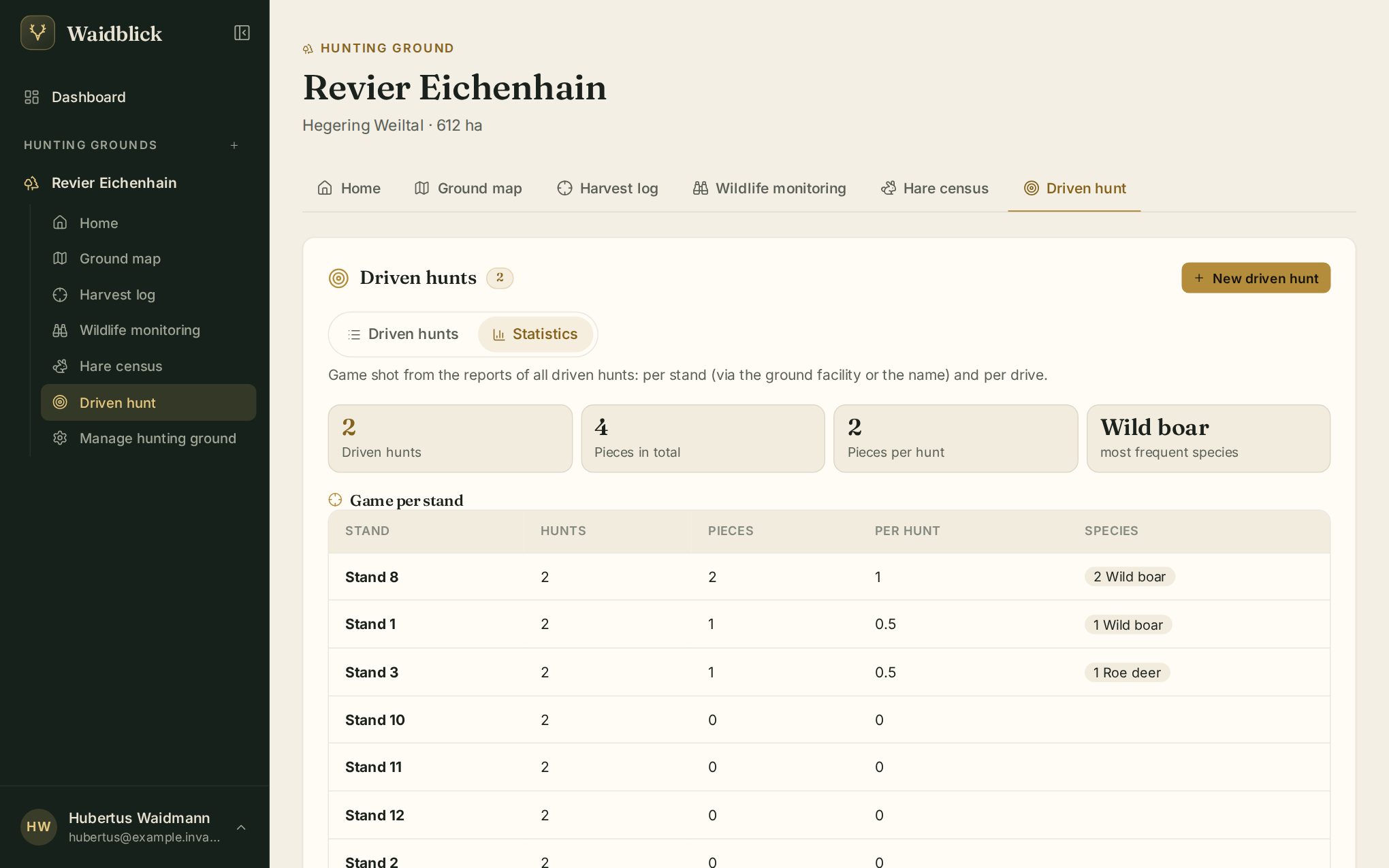
In the list of driven hunts switch to Statistics: game per stand and per drive across all driven hunts of the ground – useful to find the good stands.
Available offline
The Available offline switch stores the map and plan of this driven hunt on the device – important when there is no signal in the ground. Next to it you see when it was saved and how large it is.